Showing posts with label App Thursday. Show all posts

October 10, 2013

App Thursday: Apple launches new Kids App Store


Apple has moved to introduce a new iteration of its app store designed specifically for the use of youngsters who make use of its devices.

The Kids App Store follows the launch of iOS7 and is not a separate mobile application, but rather a ‘Kids’ subsection of the existing app store which breaks down apps into three age ranges; five and under, between six and eight and nine and 11.

This follows efforts by Apple to broaden its appeal to younger demographics, principally by allowing children aged 13 and under to sign up for an iTunes account should this be done through their school.

Apps designed for use by children are subject to stringent guidelines which bar developers from asking for personal information or from transmitting such data without parental consent.

Other changes introduced by the Californian tech giant include removal of the ‘Genius’ feature in favour of apps ‘Near Me’.

(Source: thedrum.com)

October 03, 2013

App Thursday: iPad apps aid in stroke victim's recovery


(Washington State) After a debilitating stroke cut off Nathan Shoultz’s ability to communicate, technology is helping him to reconnect.  For almost a year the Pottersville man, who was also left with limited mobility in his right arm and hand, has been using applications on an iPad as part of his speech therapy at Glens Falls Hospital Rehabilitation and Wellness Center.

“We can use one device to assist and support and retrain all aspects of memory that before we were dependent on multiple types of devices,” said Dr. Phyllis Broege, the center’s neuropsychologist.

Shoultz, a 33-year-old web designer, suffered a stroke in December 2011 while at home with his wife and four children. He spent time at Albany Medical Center and Sunnyview Rehabilitation Center before he
was referred in February 2012 to the Glens Falls center, where he receives occupational, physical and
speech therapies several hours per week.  Speech therapist Cheryl Hoffis said Shoultz was making progress with conventional methods such as worksheets, picture cards and therapy books, but one day he showed her Quiet Time on his iPad.

Quiet Time is an app he developed for Word of Life in Schroon Lake before he suffered his stroke. It features scripture readings and a journal system through which users can communicate.Soon, Hoffis was incorporating Quiet Time into Shoultz’s rehabilitation. To help him learn to read again, Hoffis had him listen to passages and read them aloud. They worked together on responding to questions about the text.

“This ties into all the communication skills Nate needs to be functional,” Hoffis said.

Hoffis now uses about a dozen apps, including Lumosity, Rosetta Stone and Pages, to help Shoultz improve his cognitive and speech skills. She believes his stroke recovery has progressed faster because of  the technology.

Shoultz’s wife, Beth, calls the iPad a “crucial tool” that helps him not only continue practicing what he has learned in therapy but helps him interact with her and their children at home.“He’ll whip that out if he gets stuck and needs that to help him,” she said. “He’s come really far.”

Concurrent with the time Hoffis has been using the iPad technology with Shoultz, Broege has partnered
with a multidisciplinary team at the Glens Falls facility to develop a more comprehensive cognitive rehabilitation program.

She said the use of iPad technology has “unlimited” potential, not just for computer-based cognitive retraining but as a tool to help patients maintain their independence.

“Back in the old days, you would have to carry a briefcase with you, a pill organizer, a timer, a watch to remind you when to take your pills, a calendar. All of these things can be accomplished with the iPad. That is what helps the client become functional in the community,” Broege said. “Nate is already doing that for all of those things because he was doing it before.”

Hoffis, the speech therapist, is now using the technology as an “instructional strategy” for another patient who wanted to learn to cook again following a stroke. This necessitated being able to communicate which dish she wanted to prepare, the needed ingredients and the step-by-step directions.

Hoffis downloaded a dish on the app, allrecipes.com, and helped the woman write a grocery list. She said
the patient was able to communicate what the steps were and how she was going to cook the food.

“She left here with it written on a piece of paper, but this tool opened up … quick access to information
that I could use in treatment,” Hoffis said.  Broege believes the iPad technology could be applied to a host of neurological disorders that affect cognitive function, including traumatic brain injuries, multiple sclerosis and early dementia, if a person had been trained to use it when he could still learn.

“This is an unbelievable tool,” Broege said. “I’m wondering if Apple (the iPad manufacturer) understands how useful it is in terms of people with disabilities and helping people with disabilities potentially function independently.”

The iPad for therapy use at Glens Falls Hospital Rehabilitation and Wellness Center is made possible by a grant from North Country Hardship Fund.

(Source: poststar.com)

September 26, 2013

App Thursday: Having a Heart Attack or Stroke? Your iPhone Knows

Apps are enabling the iPhone to detect heart attacks and strokes.

The iPhone can do a lot more than make calls. From checking email and surfing the web to finding a good restaurant, built-in features and thousands of downloadable apps have transformed the cell phone. In fact, the potential exists for the iPhone to save a life — your life.

Heart Attack: iPhone Recognition

Stroke is a leading cause of death in the United States, killing nearly 130,000 Americans each year. Heart disease affects 82 million Americans, and each year over 1 million people in the United States have a heart attack. About half of them will die before they even reach the hospital. Perhaps even more shocking, a third of people who have heart disease aren’t even aware of the risks to their health.

More people could survive a heart attack, however, if they received help sooner.

A new mobile app compatible with the iPhone has been developed that can immediately alert doctors, friends, and loved ones when an unexpected health event — such as a heart attack or fall — occurs.

California-based SecuraTrac based the new technology on its safety app, SecuraFone, which uses GPS technology to help families monitor the whereabouts of teens and seniors. With the help of another company called Vital Connect, SecuraTrac developed SecuraFone Health. The mobile appcombines GPS services with real-time wireless health monitoring.

How can the iPhone detect heart attack? The app works with a sensor worn on the chest or back. Using Bluetooth low energy technology, SecuraFone Health can identify activity steps and calories burned. It can also detect potentially dangerous changes in heart rate, respiration rate, body position as in the case of a fall, and skin temperature.

"Users set individual preferences on what they consider to be normal levels of each criteria. If the sensor detects a change outside of these limits, a real-time alert is sent to designated caregivers, family members, or other contacts with information about the user's location and condition," explained Chris Holbert, CEO of SecuraTrac.

The signal that is sent to your iPhone could automatically notify up to 200 people, via text or email. Holbert added the app can also be set up to connect to a 24-hour call center and offers security and piece of mind. "It can watch over you and help when you need it. Seniors can live at home and feel safe at the fraction of the costs of home care," he said.

(Source: everydayhealth.com)

September 05, 2013

App Thursday: iPad app to help autistic children with social communication (VIDEO)


LAWRENCE, KS (KCTV) -
Communication can be difficult for a young childwith autism, but the University of Kansas is working to make it easier for both children and adults.

One of the big problems for people with autism is social skills, but it is hard to learn social skills if they are non-verbal.

That is where an app comes in for non-verbal preschoolers. It uses images, so that they can ask for something they want rather than just taking it. The challenge is interaction.

Assistant research professor Kathy Thiemann-Bourque chronicled the study in a video conducted two years ago using a rather simplistic speaking device.

KCTV5

"Half of the kids in our last project started talking, and then half of them didn't," Thiemann-Bourque said.

What they all learned though was how to interact in a socially acceptable manner.

However, the device is limited to four images. That is why her new study at KU involves an iPad app that takes the idea to the next level.

The app is just a tool that requires certain teaching methods. But Thiemann-Bourque said the  tool presents possibilities far beyond previous options.

"So it is usually just, 'I want something. You'll give it to me, and we're done.' Whereas with this type of system, the children can be pushing buttons back and forth, so they can have a reciprocal interaction," Thiemann-Bourque said.

The study they did with the device only had six children in it. But the positive results are what got them a $1.2 million grant from the National Institutes of Health to do the study involving the iPad app.

There will be a lot more children involved in that study, and they are recruiting those children right now. 

The study will take place with school children from Lawrence and Kansas City, KS.

(Source: kctv5.com)

August 29, 2013

App Thursday: Pittsburgh firm's app keeps patients on track with exercises

Physical therapists use DropKickerPT to send text reminders

Did you do your exercises?
The question, a familiar one posed at physical therapy appointments, may soon be asked between office visits, via text messages sent from doctor to patient.

That's the idea put forth by a South Side startup that calls itself DropKicker and its product, a cloud-based, text messaging service that encourages physical therapy patients to keep up their therapist-prescribed exercises, DropKickerPT.

Physical therapists can use the service to send pre-written reminders and encouragement to their patients about doing their home exercises, then keep a log of how regularly the patient is completing those exercises.
"Really, this is a physical therapist's window into the patient's experience of physical therapy at home," said Adam Nelson, 26, the company's co-founder and its chief creative officer.

Through DropKickerPT, patients will also have the option to recruit a team -- friends and family members -- who can be included in the messages as a form of positive peer pressure to encourage progress.
DropKicker, currently located in the AlphaLab building on East Carson Street, was originally envisioned as a consumer service to help people drop or kick bad habits, such as smoking or drinking too much soda.
After some market exploration, the 11/2-year-old company -- with a five-person team composed of 20-somethings -- decided to keep the name but change its focus to pivoting the product toward physical therapy. "It just seemed like a really good fit," said James Lomuscio, 24, co-founder and CEO.

The reminder notes, as well as follow-up text messages giving positive reinforcement if a patient completes the exercises, can help keep patients on track, resulting in fewer office visits and a faster recovery, Mr. Lomuscio said.

"Ultimately, I feel like DropKicker is going to be most valuable to an insurance company," he said.

A couple of physical therapists in the Pittsburgh area have been testing the device with their patients in recent weeks, and they gave the program positive reviews.

Steve Gough, CEO of Allegheny Chesapeake Physical Therapy, called DropKicker's idea "very clever."
Some patients do all their exercises, but others need encouragement, and for that segment of the population, he said it was a promising tool.

"I think that any technology that can help accelerate a patient's care, and return to recovery, is a huge benefit," he said.

Two of his physical therapists are testing the product, including Jessica Dembowski in Allegheny Chesapeake's Butler office. She has been sending daily text messages about home exercises to five of her patients for the past two weeks.

"I like it," she said. "I think it encourages compliance with my patients with their exercises."
For now, DropKickerPT remains in testing mode. But DropKicker, the company, plans to make its product available to physical therapists this fall through its website, www.playdropkicker.com.

Users will get a 90-day free trial, and then the monthly cost will likely range from $100 to $500, depending on the number of physical therapists using it, Mr. Lomuscio said.

(Source: post-gazette.com)

August 01, 2013

App Thursday: Mom creates app to help son with autism


(Michigan, US) Nabeela Jaffer has watched her son, Salman, struggle to communicate for years. He's 16 years old now, but was diagnosed with autism by age 4. 

"His receptive language good, but it's his expressive language where he has some issues," she says. 

So Jaffer, who's also a computer programmer, noticed how much Salman loved playing games on his iPod. 
That inspired her to create an app called 'My Words'. 

"This can help anyone struggling with communication difficulties. It gives voice to people who can't talk for themselves," she says. 


It's a mobile device app that lets *you* create a multi-sensory dictionary.
It's a compilation of words and sentences that are like a set of personalized flash cards with a voice.
With the app, you can type in a word, take a picture of it, record your voice and put it in a certain category.
If her son has trouble saying something, he can just tap on the picture that's on his phone.
Right now, there are hundreds of words and phrases in Salman's My Words app that have been recorded by his parents. 

The Jaffers say the My Words app is making a difference they can see and hear. 

"Sometimes he keeps listening to the word until he says it," says Nabeela Jaffer.
"He's getting engaged in conversations now and his frustration level is 
down," says Salman's dad, Mateen Jaffer.
Nabeela believes the My Words app can do the same for people on different levels of the autism spectrum and anyone who needs help expressing themselves. 

"If they can communicate, they can have opportunities," she says.
The My Words app is $9.99 and available on iTunes.
The app comes with a "share words" feature that lets you share your child's vocabulary with friends, teachers and caregivers.
To learn more about it just go to http://mywordsapp.com/

(Source: wxyz.com)


July 25, 2013

App Thursday: The 55 Best Free Education Apps for iPad

Finding apps isn’t difficult. Finding education apps is only a bit more challenging. Finding free education apps is also possible. Finding free education apps worth downloading is a different story entirely.
The following is our list for the 55 best apps for learning we can find. Some are formal learning–math drilling and phonics, for example–while others are RSS readers, social media platforms, and the like. These are purposely not all purely academic, “training” apps that focus on individual skills, but rather the an array of apps students could use daily to improve their ability to think, connect, and use information.
A few notes:
1. Some may require in-app purchases, but we tried to limit these. We also tried to limit how many “lite/free” versions of more robust paid apps we included. We wanted the list to be as truly free as possible for you to use.
2. Some of these we included a brief statement of why you should use the app, while others we included developer commentary.
3. They are numbered, but are in no certain order.
4. We tried to included a wide variety of apps. It might be that 25 of the best 50 are phonics instruction, but we didn’t want the list dominated by any single grade level or content area.
5. We’ve got an Android version coming in the next few days.
The 55 Best Free Education Apps For iPad
1. Google Maps
Developer Description: View 360-degree panoramas of places around the globe with Street View; View high resolution satellite imagery of locations around the world.
2. BrainPOP Featured Movie
Developer Description: “…explore more than 750 Science, Math, Social Studies, English, Engineering & Tech, Arts & Music, and Health subjects right on their mobile devices. All movies are close captioned, so it’s easy for them to read along.”
3. Best Books for TweensDeveloper Description: “This app is a fun way for parents, teachers, librarians, and readers to get more information about top rated books at the fifth and sixth grade level. Tag a book as “I want this” or “I’ve read this” to add it to your list. You can email your list out for an easy way to show which books you’re interested in getting and which books you’ve already completed.”
This app is a fun way for parents, teachers, librarians, and readers to get more information about top rated books at the fifth and sixth grade level. Tag a book as “I want this” or “I’ve read this” to add it to your list. You can email your list out for an easy way to show which books you’re interested in getting and which books you’ve already completed.
4. Pocket Body LiteDeveloper Description: “(This) full body app, with its elegant design and nine layers of musculoskeletal, neurovascular, and internal organ visual content, contains over 70,000 words of learning material.”
5. Video ScienceDeveloper Description: “A growing library of over 80 hands-on Science lessons that are great for home and the classroom. These short videos demonstrate inexpensive and easy to recreate experiments that are designed to inspire and excite kids of all ages.”
6. EvernoteDeveloper Description: “Evernote is an easy-to-use, free app that helps you remember everything across all of the devices you use. Stay organized, save your ideas and improve productivity. Evernote lets you take notes, capture photos, create to-do lists, record voice reminders–and makes these notes completely searchable, whether you are at home, at work, or on the go.”
7. See.Touch. Learn.
Developer Description: See.Touch.Learn. to build custom picture card lessons and automatically track their child’s responses. Includes a starter set of stunning, high-quality images and 60 exercises created by a certified assistant behavior analyst!
8. Sight Words for Reading HD
Developer Description: “This app helps students learn sight words, the most common words in children’s literature. It covers a few words from both the Fry’s and Dolch lists. Words are presented in context in fun videos. This helps learners understand the meaning of the words, which aids in reading comprehension.”
9. Twitter
Developer Description: “Instant access to all the media, news, events, and information you need.”
10. Pocket
Developer Description: “When you find an interesting article, video or web page that you want to read, watch or view later, put it in Pocket. Once it’s in Pocket, it automatically syncs across to your phone, tablet and computer so you can view it anytime on any device, even without an internet connection.”
11. Adobe Inspire
Developer Description: “Adobe® Inspire Magazine is a free publication that contains original content geared toward informing, enlightening, and inspiring creative professionals and hobbyists. Documenting the best of web and interaction design practices for over 10 years, each bimonthly issue features articles, tutorials, and videos by experts about new and emerging technologies as well as best practices to help you excel at your job.”
12. Teaching with Technology Video LibraryDeveloper Description: “The NETS video library is a collection of video of actual classrooms, enriched by additional material such as lesson context, teacher handouts and even student work, accessible alongside the video.”
13. EarthViewerDeveloper Description: “What did Earth’s continents and oceans look like 250 million years ago, or 1 billion years ago for that matter? Can we say anything about Earth’s climate as far back as our planet’s origin? Use your fingertips to scroll through Earth history for the last 4.5 billion years.”
14. Phrasal Verb MachineDeveloper Description: “At Cambridge University Press, we know that Phrasal verbs are complicated for non-native English speakers to learn and use. We also know that it’s essential to use them if we want our writing and speaking to sound natural. However, studying unending lists doesn’t seem to be the best way to learn and use them efficiently. Phrasal verbs are, more than anything, action. And action must be visual. The more visually stimulating the learning, the better we will understand and assimilate the phrasal verbs.”
15. SkyORB
Developer Description: “SkyORB features many functions as a 3D real-time representation of the planets position around the sun, the ability to hold your device and point toward a visible star and planet and reveal the name by tracking the GPS position, compass orientation, the elevation from the gyroscope, warn the user when a phenomenon is occurs as a full moon, a planet really visible, which is worth the observation.”
SkyORB features many functions as a 3D real-time representation of the planets position around the sun, the ability to hold your device and point toward a visible star and planet and reveal the name by tracking the GPS position, compass orientation, the elevation from the gyroscope, warn the user when a phenomenon is occurs as a full moon, a planet really visible, which is worth the observation.
16. EdmodoDeveloper Description: “Edmodo makes it easy for teachers and students to stay connected and share information. Use your iOS device to send notes, submit assignments, post replies, and check messages and upcoming events while away from the classroom.
17. TapToTalkDeveloper Description: “Give a non-verbal child or adult a voice! TapToTalk turns an iPhone™, iPad™ or iPod touch® into an augmentative and alternative communication (AAC) device. TapToTalk makes communication fun, like another “game” on this cool device. Just tap a picture and TapToTalk speaks. Each picture can lead to another screen of pictures.”
18. Kindle Developer Description: “The Kindle app is optimized for the iPad, iPhone, and iPod touch, giving users the ability to read Kindle books, newspapers, magazines, textbooks and PDFs on a beautiful, easy-to-use interface.
19. DuilingoDeveloper Description: “With Duolingo, you learn a language completely free, without ads or hidden charges. You have fun while you learn, leveling up and competing with friends. You have the opportunity to translate real-world texts in the language you are learning, and in doing so, help us translate the Web into other languages”
20. Virtual ManipulativesWhy You Should Try It: Math with visual, digital objects that represent meaning!
21. Toy Story 2 ReadalongWhy You Should Try It: It’s among the most elegant and what-you’d-expect-a-kid’s-book-on-the-ipad-to-look-like examples of an “iBook” we’ve seen.
22. Google EarthDeveloper Description: “Fly around the planet with a swipe of your finger with Google Earth for iPhone, iPad, and iPod touch. Explore distant lands or reacquaint yourself with your childhood home. Search for cities, places, and businesses. Browse layers including roads, borders, places, photos and more. Visit the Earth Gallery to find exciting maps such as real-time earthquakes, planes in flight, hiking trails, city tours, and more.”
23. Google ChromeDeveloper Description: “Sign in to sync your personalized Chrome experience from your computer, and bring it with you anywhere you go.”
24. iBooksWhy You Should Try It: You probably already have, but this is native way to view a wide variety of documents on the iPad.
25. TED TalksWhy You Should Try It: TED Talks consistently delivers passionate arguments from people that love learning. Whether or not they’ve oversaturated the market or jumped the shark entirely, they’re a must-have resource for the progressive educator.
26. Hubble Space Telescope DiscoveriesDeveloper Description: ”Soar through the universe with the Hubble Space Telescope, exploring discoveries from dark energy to colliding galaxies. This highly interactive eBook features video, image galleries and more to reveal the record of scientific breakthroughs behind Hubble’s stunning images of the cosmos.”
27. Alphabet Projector
Why You Should Try It: Great for letter recognition practice for pre-school and Kindergarten.
28. Fill The CupDeveloper Description: “Four math games allow children to experience math concepts through manipulation. Rods is an addition/subtraction game that uses different sized rods side by side to show how two numbers make up another one. The child selects the rod that makes up the missing piece.”
29. Common Core StandardsDeveloper Description: “View the Common Core State Standards in one convenient FREE app! A great reference for students, parents, and teachers to easily read and understand the core standards. Quickly find standards by subject, grade, and subject category (domain/cluster). This app includes Math standards K-12 and Language Arts standards K-12. Math standards include both traditional and integrated pathways (as outlined in Appendix A of the common core) and synthesizes Language Arts standards with the Corresponding College and Career Readiness Standards (CCR’s).”
30. History Line
Developer Description: “History Line is a collaborative learning game for the iPad focusing on US History. The game can be played by 1-6 players. As a single player game, a series of historical events are presented on the screen and the goal of the game is to place the events onto a timeline at the bottom of the screen in the correct sequence. When the event placed on the line is correct the date appears below.”
31. Nova ElementsWhy You Should Try it: This is an extremely well-produced science show–typical for NOVA and their other media.
32. Cliff’s Notes Study GuidesWhy You Should Try It: It’s not exactly free, as it depends on in-app purchases, but for both students and teachers, these guides (at $2 a pop) are useful study companions.
33. Pass the Past
Why You Should Try It: A decent, free test-prep app that isn’t innovative or engaging in the least, but may prove easier on the students than teacher-led drill-and-kill.
34. SkyGrid
Why You Should Try It: It’s a stunning and visually engaging RSS reader for the iPad–possibly the best.
35. Exoplanet
Developer Description: “The Exoplanet app is a highly visual and interactive catalogue of all known exoplanets. Exoplanets are planets orbiting stars beyond our own Solar System. It is frequently updated whenever new discoveries are confirmed. An amazing model of the Milky Way lets you explore our universe all the way from the Solar System to the cosmic microwave background.”
36. ABS Magic PhonicsDeveloper Description: “This app will help your child learn the sounds of the letters of the alphabet, which are necessary for reading. Learning the sounds of the letters gives your child the tools for reading and helps them become better readers. A matching phonetic photo image is matched with each letter to help your child learn the sound of each letter.”
37. MyScript CalculatorDeveloper Description: “Easy, simple and intuitive, just write the mathematical expression on the screen then let MyScript technology perform its magic converting symbols and numbers to digital text and delivering the result in real time.”
38. PulseWhy You Should Try It: Grid-style RSS reader makes processing large amounts of information a breeze.
39. Constitution for iPadWhy You Should Try It: Foundational document of the United States that’s surprisingly misunderstood.
40. Google+Why You Should Try It: Don’t look now, but Google+ is not only alive, but just might be the social media platform out there. (Now, if we can just get everyone to start using it.)
41. Scoopit
Why You Should Try It: Skim, curate, share, and publish on the go.
42. Khan AcademyDeveloper Description: It doesn’t matter if you are a student, teacher, home-schooler, principal, adult returning to the classroom after 20 years, or a friendly alien just trying to get a leg up in earthly biology; Khan Academy’s materials and resources (over 3500 videos) are available to you completely free of charge.”
43. TweetyPop 
Why You Should Try It: Visual browsing of tweets. Not only cool, but adds additional function and meaning to the tweets as well.
44. iTunes U
Why You Should Try It: Probably the most underrated resource Apple provides. 
45. NPR for iPadDeveloper Description: “Experience NPR as a delightful magazine! The NPR iPad app presents our award-winning storytelling as a seamless mix of audio, text and images in a clean visual design. With a focus on News, Arts & Life, and Music, the app gives you content that’s broad, deep and timely.”
46. Flipboard Why You Should Try It: Visual and social news browsing for the win.
47. PBS KidsWhy You Should Try It: Free PBS video content to your lap.
48. Google Search Why You Should Try It: This is the quickest way to search the most powerful search engine on the planet from your iPad.
49. Motion Math ZoomDeveloper Description: “Motion Math Zoom’s zoomable, stretchable number line is missing some numbers – it’s up to your child to put the numbers back where they belong. The new game uses concrete objects to represent abstract numbers: from dinosaurs in the thousands down to amoebas in the thousandths. Fun animal animations and sound effects help elementary school children master the number line.”
50. Orbit Architecture
 
Developer Description: “Orbit Architect allows you to interactively design and explore satellite orbital geometry through the multi-touch interface of the iPad. You can manipulate a satellite orbit using pinch and rotate multi-touch gestures, see the effects on the orbit and its ground track in real-time, and animate the results. As you change the orbit, dynamic diagrams will illuminate the meaning of each orbital parameter.”
51. Numbler Math GameDeveloper Description: “Numbler is a game where players build math equations in a familiar crossword style board. All the mental fun of popular board and online word games, but with numbers instead of letters.”
52. Agnitus Games for LearningWhy You Should Try It: Foundational early learning skills through play.
53. TeacherKit Developer Description: TeacherKit is a personal organizer for the teacher. It enables the teacher to organize classes, and students. Its simple and intuitive interface enables teachers to track the attendance, grades and behavior of students.
54. Solve the OutbreakDeveloper Description: “Get clues, analyze data, solve the case, and save lives! In this fun app, you get to be the Disease Detective. Do you quarantine the village? Talk to people who are sick? Ask for more lab results? The better your answers, the higher your score – and the more quickly you’ll save lives. You’ll start out as a Trainee and can earn badges by solving cases, with the goal of earning the top rank: Disease Detective.”
55. Too NoisyWhy You Should Try It: If you’re a teacher, you don’t need this one explained.
(Source: teachthought.com)

June 27, 2013

App Thursday: Helping children learn to read through apps

Whatever magical addictive power was infused into my iPad in the factory, it seems to have the strongest effect on my children, who are 2 and 4 years old. They don’t use the tablet just for silly games. They also love the applications that mix together education and play.

In particular, they enjoy apps aimed at helping them learn to read. There are many smartphone and tablet apps that offer a new, dynamic and interactive way to learn to read, starting from the basics of letter shapes and sounds.

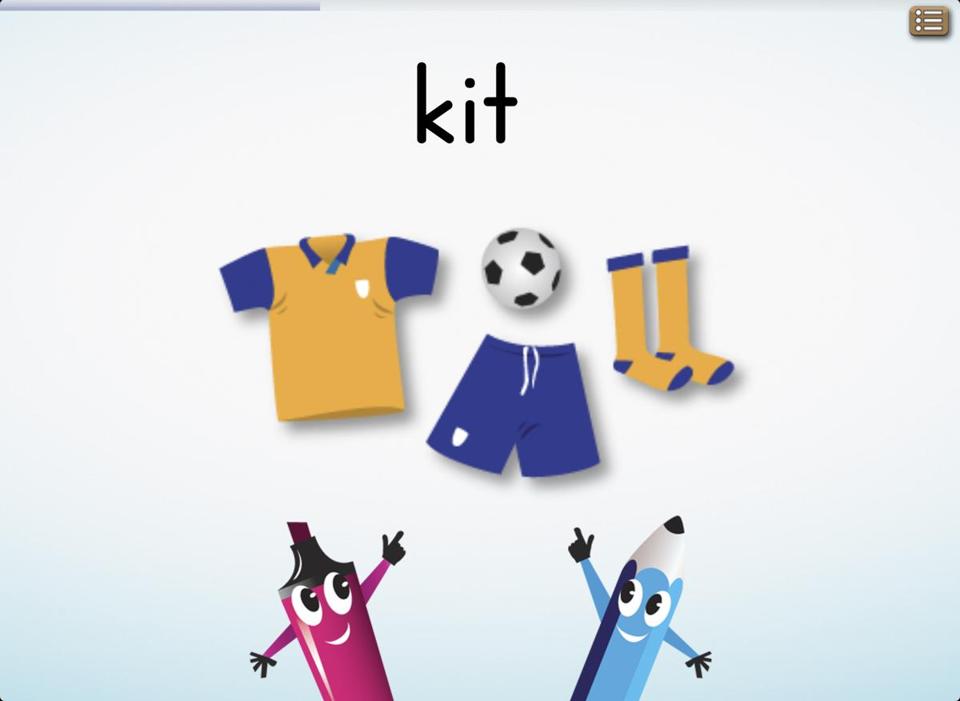
abc PocketPhonics
$2.99 on iOS

One of my children’s favorite early reading apps is abc PocketPhonics. The lessons in PocketPhonics begin with single letters appearing on the screen, accompanied by a voice reading their sounds. Children are expected to copy the letter shape by drawing with their finger, while an arrow guides the way.

When several letters have been learned, there is a quiz section where the child has to tap on the right letter when its sound is spoken aloud. Then these letters are used to form words that are spoken aloud and accompanied with a cute graphic.

When the child is doing well, the app offers spoken praise, and two penlike cartoon characters keep it feeling light and fun. But if letters aren’t drawn well, the app won’t progress to the next level.

As the child’s learning advances, the complexity of the letters increases, and the letters are used to form longer and more complicated words. So it starts with words like “it” and ends with words like “each.”

This app is attractive for its simplicity, but probably works best if you sit with your children to guide them through its lessons. The British accent used on the app may bother you, and don’t expect too many hours of continuous use from PocketPhonics. It really teaches only basic words. 

Tracing ABC Letter Worksheets
$1.99 on Android

A similar Android app is Tracing ABC Letter Worksheets, costing $1.99, though there is a free version with fewer features.

This app teaches children how to write letters and is great for younger children but also includes complex words to challenge 11- or 12-year-olds. As its title suggests, the app is all about tracing letter shapes on the screen: The child’s fingertip movements are guided by some flickering stars, and the right moves are rewarded with amusing sound effects.

In a separate part of this app, children trace the different letters of a word on the screen, and when they’re done the app speaks the word aloud and congratulates them. For maximum educational value, it’s probably best if younger children are supervised in this section because the app sounds out each letter and explains how the sounds add up to a word. You’ll also need to control the app’s interface to select which words are presented and to choose the appropriate age settings.

Word Magic
$.99 on iOS

Word Magic would be useful for children with basic reading skills but still needing to practice their letters and expand their vocabulary. It’s essentially a simple quiz in which a word is shown beneath a picture, but the word is missing a letter.

After the word is read aloud, the child has to choose the missing letter from a list. The app keeps score, providing a competitive element. Parents may also appreciate the fact that the words are read out by children with many different accents, which should help with your child’s listening skills. You may need to help your child understand the more unusual accents from time to time. Many aspects of this quiz can be controlled — from the maximum word length to the difficulty level. One annoyance in Word Magic is that it’s easy for a child to accidentally press on the little clock icon at the top, which will reset the score; some tears may follow.

These apps are all about the basic skills of reading. But once a child has mastered “the cat sat on the mat” it shouldn't be too long before the youngster will be reading himself to sleep ­— if a parent is willing to give up that task.

(Source: bostonglobe.com)

June 20, 2013

App Thursday: JAA speech therapists using iPads to treat their patients


Judi Wasserman touched an app on her iPad screen and a video of a woman’s mouth appeared.

“Press lips firmly together for three seconds and then relax,” said a voice emanating from the iPad. “One … two … three … relax.”

The mouth followed each command and relaxed on cue. Exercise completed.

The oral motor exercise is one of many iPad options that Wasserman, a speech therapist at the Charles Morris Nursing and Rehabilitation Center of the Jewish Association on Aging, uses to assess and treat her patients. She has been using an iPad in her work for six months to help patients with a variety of conditions.

In fact, all four speech therapists — three inpatient, one outpatient — now use iPads in their work.

“This is the way of the future,” Wasserman told the Chronicle, “and we all ought to jump on the bandwagon to help people as much as possible. To not use it as a tool is just shortsighted.”

She said the speech apps available on iPad are easy for her patients, not as confusing as some of her older tests that often came with more written instructions, plus the technology behind the apps impresses her patients and perhaps encourages them to take them more seriously.

“Instead of just looking at me, looking at this, it [the iPad] makes [the exercises and tests] look more official, I guess,” she said. “I’m still there, I’m still cuing them and showing them what do and explaining what the purpose is, but at the same time it works; it’s me working with the computer.”

Until now, Wasserman said in an interview with the Chronicle, she has only been utilizing free apps that exercise a patient’s speech-related muscles, assess their cognitive skills and enhance their quality of life.

She gave one example of using her iPad to help a dementia patient to Skype with her son, who lives in Florida.  

“Literally, she was kissing the iPad; it was so special that she was able to visualize her son,” Wasserman said. “To me, that’s improving quality of life.

“I’m learning all the time [about the iPad],” she continued. “I try and go to the Apple Store and try and learn more how to use it. It’s been a work in process for me because I’m not the most tech savvy person, but even I have been finding many applications to use in treatment as well as an assessment tool and improving quality of life within receptive and expressive language skills.”

She said there are plenty of speech and language apps that can be purchased, some of which can get expensive. She’s been experimenting with some of the apps before approaching her superiors about acquiring them.

Her director told her he would work with her to find funding. Already, though, substantial funding for iPad use has been found. 

Rabbi Eli Seidman, director of pastoral care, said Wasserman’s iPad was purchased with funding from the JAA Ladies Auxiliary, and he used money from his own discretionary fund to purchase tablets for the center’s other three speech therapists.

Using iPads for speech isn’t just a Pittsburgh development. In fact, the American Speech-Language-Hearing Association is encouraging use of apps and mobile devices, spelling out their advantages (and some disadvantages) on its website and linking to sources for funding and other information.  

Wasserman said the devices, by virtue of their sophistication, make her patients feel more comfortable with the problems they’re trying to overcome.

“Sometimes some of the things we do are abstract. … This makes it more official and like ‘oh there’s a whole application for this so it must mean that it’s not just Judi Wasserman coming in telling me this will help me, but there are a lot of people who worked hard to create this,’” Wasserman said.

“And people just take it more seriously and I think that’s an important thing. Mindset to what we do is very important — mindset, motivation encouragement — the feeling you’re too weird or strange, that other people do this too … I’m not alone in the world.”

(Source: thejewishchronicle.com) 

June 06, 2013

App Thursday: App-based video games could help treat autism (VIDEO)

TAMPA (FOX 13) -(Source: myfoxtampabay.com)
For 13-year-old Zachary Rose, simple playtime can bring out a smile as wide as the sun.

What comes easy to most kids is challenging for Zachary. He and his younger brother Benjamin have autism spectrum disorder.

But for Zachary, there are even more challenges.

"Right now, we are working on potty training, and they are 11 and 13, so that kind of puts it in perspective," Rob tells us. "Zachary also has trouble eating and communicating at school and home."

So twice a week, Rob brings both boys to Behavioral Consulting of Tampa Bay.

"We wanted to get him to learn some new behaviors, so he could be acclimated a bit better with society."

Jamie Granatino, Clinical Director of the center says, "A lot of our kids come in not having effective ways to communicate their wants and needs and that can lead to a lot of problem behavior. Children get frustrated when they're not effectively able to tell us what they need."

Zachary's one-on-one sessions include app-based video games on the iPad.

Games like Spelling Mix, Starfall and Math Ninja combine fun and learning. They mix intriguing visuals and changing audio cues with repetition.

"It's really exciting to see how it engages these children," Jamie Granatino said.

Behavioral Consulting has even found apps like Disney Story Time and Angry Birds appear to have impact.

"I had one client who had an Angry Birds birthday party, and to see how excited they get. They recognize the characters and go to show and tell and bring the toys that their peers would," Jamie says.

But there may be a down side. Some question whether kids like Zachary can spend too much time in front of a screen.

"I do not believe it's a cure at all," says Dr. Eric Storch, a psychologist with University of South Florida Health.

He's cautious, since studies show children with autism play video games more frequently than their siblings.

"There's a risk that these games might be very appealing to kids, and result in kids playing the games excessively at the risk of the expense of other activities that might be more helpful."

Also at the expense of activities that involve social interaction.

"I think this is one piece of the puzzle, to make sure our kids can be successful and happy people," he said.

Rob agrees.

"The improvements that we've seen because of the therapy here has been spectacular."

Beyond games Zachary's now using the iPad daily. He responds to questions by typing the answer, and when he hits "speak," the iPad talks for him.

"The outside world doesn't want a hug and a kiss or a shake. He's able to type in his response and communicate, which 10 years ago, he wouldn't have been able to do that," Rob says with a smile.

It all seems to be unlocking a new world for Zachary, making his future brighter with the help of the technology in his hands.

"The technology has allowed us to see into his personality. He's a funny little kid with a sense of humor. It's allowed him, to laugh," Rob says. "Ten years from now? Google Glasses, a watch? The kid could be communicating in full sentences! We celebrate that the technology keeps moving ahead...they really do grab hold of this new technology, and take in ways we'd never expect."

Some say Wii and Xbox Connect games might help higher functioning patients. In moderation, Dr. Storch says the games have an added benefit in helping mainstream autism disorder students to socially interact with their peers.

But for Zachary, his father says, cheaper, simpler apps seem to have the biggest impact.